Mailchimp: one audience or several? The 2026 decision rule
 Jean RubensUpdated September 202610 min read
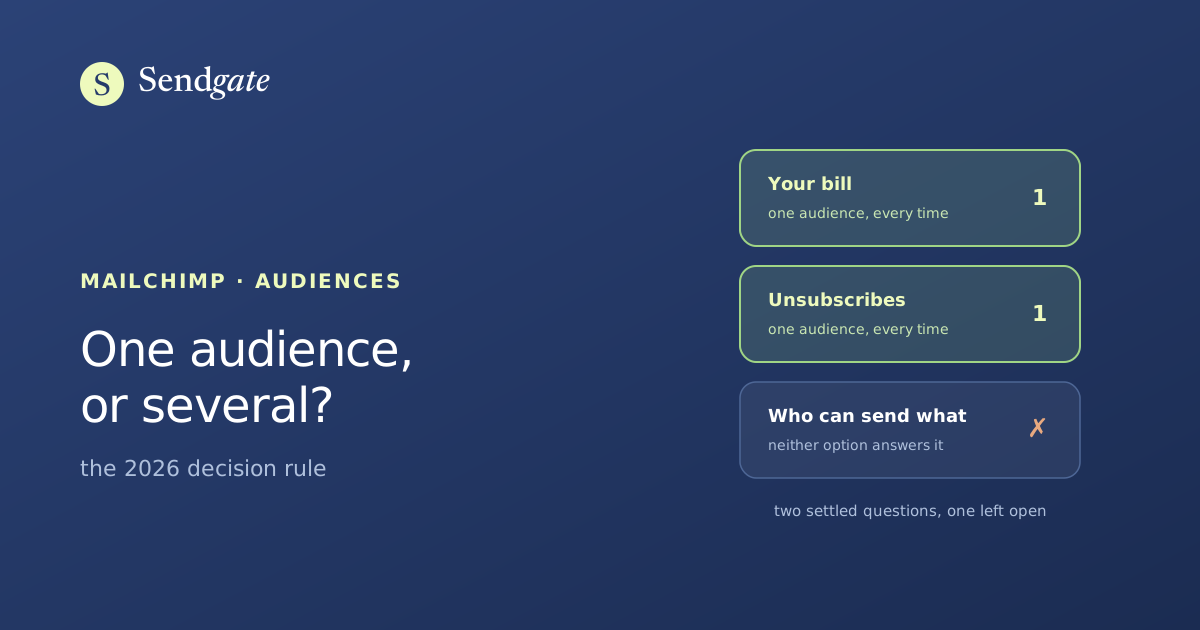
Mailchimp's answer is one audience, and it's the right answer. Its documentation says so, its billing enforces it, and its unsubscribe model punishes the alternative. But most people asking the question are really asking a second one underneath it: how do we keep six teams from emailing each other's contacts? Consolidating doesn't solve that, it removes the workaround. Here's the rule, the two documented exceptions, and what the merge costs you.
You've got four audiences because four teams needed somewhere to put their contacts. Now the bill has climbed, someone unsubscribed twice from the same organization, and you're wondering whether to merge everything into one list.
Search for an answer and you'll find Mailchimp's, repeated on a dozen blogs: use one audience, organize with tags. It's correct, it's well documented, and it settles less than it looks. Let's separate the three questions hiding inside this one.
Key takeaways
- Mailchimp's position is unambiguous: "You should only need 1 audience. If you still choose to create another audience, be aware that audiences don't share contact data" (Mailchimp).
- Overlap is billed twice. "If freddie@address.com is in 2 of your audiences, we count that as 2 contacts" (Mailchimp).
- An unsubscribe stops at the audience it was made in. Mailchimp treats every audience in your account independently (Mailchimp).
- Merging has a documented price: the combine tool "doesn't transfer group or tag data, email engagement metrics such as opens and clicks, member ratings, opt-in time stamps, signup sources, or GDPR permissions" (Mailchimp).
Should you use one Mailchimp audience or several?
One. As of September 2026, Mailchimp's own help centre states that "you should only need 1 audience", and adds that "if you still choose to create another audience, be aware that audiences don't share contact data" (Mailchimp, Getting Started with Your Audience). Its marketing guidance is blunter still: your audience "should be global".
That second sentence carries the weight. Audiences don't share contact data, which means they don't share anything: not the profile, not the engagement history, not the unsubscribe, not the billing line. Two audiences aren't two views of your contact base. They're two contact bases that happen to sit in the same account.
So the real question isn't whether one audience is better. Mailchimp settled that. The question is which of your reasons for splitting survives contact with how audiences actually work, and that depends entirely on why you split in the first place.
What does a second audience actually cost?
Every contact that sits in both of them, twice a month, forever. Mailchimp is explicit: "if freddie@address.com is in 2 of your audiences, we count that as 2 contacts" (Mailchimp, 2026). Deduplication runs inside an audience and never between audiences, so the same person in two lists is two paying lines.
Two regional lists of 5,000 with a 1,500-person overlap is 10,000 billed contacts for 8,500 real people. That's the whole subject of why the same contact in two audiences is billed twice, including how to measure your own overlap before you decide anything.
There's a second cost, and it's the one people notice first. Free gives you 1 audience, Essentials 3, Standard 5, and only Premium is unlimited (Mailchimp, Marketing pricing). Teams hit that ceiling, upgrade a tier to get audience number 6, and pay for the upgrade on top of the duplicates. The four setups multi-team organizations end up in covers what each ceiling does to a growing org.
Almost nobody creates a second audience for a marketing reason. They create it because a new team arrived and there was nowhere else to put its contacts. The audience gets used as a folder, and as a soft boundary: my list, your list. It works for about a year, until the bill or a duplicate send makes it visible.
What happens to an unsubscribe when you split?
It stops where it was made. Mailchimp "treats all audiences in your account independently", and when someone unsubscribes from an audience "they opt out of marketing emails and SMS messages for that audience only" (Mailchimp, About Unsubscribes). Your other three audiences never hear about it.
That behaviour is deliberate, and it's useful when the audiences belong to different clients of an agency. Inside one organization it's a trap. A contact clicks unsubscribe on the regional newsletter, keeps receiving the national one, and reasonably concludes you ignored them. The second click is usually the spam button.
That matters more than it used to. Google requires bulk senders to keep spam complaints under 0.3%, and treats 0.1% as the healthy working threshold (Google, Email sender guidelines). Complaints are also the honest signal behind the 43% of people who say they unsubscribe first because a sender writes too often (ZeroBounce, Email statistics report 2026, n=1,091). Fragmented lists manufacture both.
Consent has the same shape. If your proof of opt-in lives in whichever audience the person signed up through, you can't answer a deletion or access request from one place, and neither can the colleague who receives it. GDPR compliance for multi-team marketing goes through what has to be traceable and who is accountable for it.
When are several audiences the right call?
In two documented cases, and one legal one. Mailchimp's own guidance names the first two: a customer base that mixes businesses and consumers, where "it's better to keep those audiences separate", and an organization emailing both its staff and its customers, where mixing the two risks internal information reaching the wrong side (Mailchimp, One audience or several?).
What both have in common is worth naming, because it's the actual test. The two groups need different consent, different sender identity and different unsubscribe consequences. Staff don't opt in the way a subscriber does. A retailer buying wholesale isn't the same legal relationship as a consumer buying once.
Different legal relationships
B2B and B2C, or staff and customers. The consent basis differs, so the lists differ. Mailchimp documents both, and they're the only two content-based exceptions it names.
Separate legal entities
Distinct companies that share no contacts and no invoice. Usually separate accounts rather than separate audiences, and Mailchimp's Acceptable Use Policy reserves multiple accounts to franchises and agencies.
Everything else
Regions, teams, brands, product lines, event attendees. One audience, tags for the ownership, segments for the targeting. A segment can combine up to 10 conditions, which is more slicing than most organizations ever use.
The question one audience makes harder
Who's allowed to email whom. Mailchimp gives every user one of five roles that apply to the whole account, on every plan from Free to Premium (Mailchimp, Manage user levels). There's no level below the account, which means there's nothing to attach to an audience even when you have several.
Here's the part no help page connects. Separate audiences never restricted anyone either, but they made overreach visible and slightly awkward: writing to the other team's list meant switching into their list. Put everything in one audience and that friction disappears. Every sender now opens a single box containing everyone, and the only thing standing between a regional intern and the national base is a tag nobody is required to respect.
So consolidating is right and it makes the access problem worse on the same afternoon. That's not an argument against it. It's an argument for doing the second thing at the same time, which is the subject of restricting a Mailchimp user to specific audiences and of the five roles and where they stop.
Mailchimp has no IP lock. Whoever holds the API key can send from outside any layer you put on top, so compartmentalization on a Mailchimp account rests on the admin keeping that key. Any vendor promising you a sealed boundary here, us included, would be overselling. What a layer above gives you is a working scope per team and a record of who sent what to whom.
What does consolidating actually cost?
More than the afternoon you've budgeted for it. Mailchimp's combine audiences tool "doesn't transfer group or tag data, email engagement metrics such as opens and clicks, member ratings, opt-in time stamps, signup sources, or GDPR permissions" (Mailchimp, Use the Combine Audiences Tool). Read that list twice before you click anything.
Opt-in timestamps and GDPR permissions are on it. For an organization that has to show when and how someone consented, running the native tool doesn't tidy the base, it deletes the evidence. Mailchimp also warns that "audience actions are permanent", and recommends exporting a backup first.
Two more things happen that catch people out. Only subscribed contacts move across, so your unsubscribed and cleaned addresses stay behind in the old audience, which is exactly where you don't want an unsubscribe record to be. And if the destination audience has automations with a "Signs up" trigger, every migrated contact fires them.
| What you keep | Combine audiences tool | Export and re-import |
|---|---|---|
| Subscribed contacts | ✓ | ✓ |
| Unsubscribed and cleaned | ✗ | ✓ |
| Tags and groups | ✗ | ~ |
| Opens, clicks, member rating | ✗ | ✗ |
| Opt-in timestamps and GDPR permissions | ✗ | ~ |
| Effort involved | A few clicks, permanent | Manual, one file per status |
✓ kept · ~ partial, and only if you rebuild the columns by hand · ✗ lost. Compared against Mailchimp's documented behaviour, September 2026. Mailchimp recommends the export route "to keep as much data as possible", and exports each status into its own file.
None of this argues for staying split. It argues for merging deliberately: export every audience first, including the unsubscribed and cleaned files, decide what your consent record is going to be before you destroy the old one, then move. The two-audience organization can do this in a week. The eight-audience one should plan for a quarter.
The rule, in four questions
Run them in order and stop at the first yes. Three of the four are about the contacts, and only the last one is about your organization, which is the opposite of how the decision usually gets made.
Do these contacts have different legal relationships with you?
B2B and B2C, staff and customers, separate legal entities. Yes means separate audiences, and possibly separate accounts. This is the only structural reason.
Would mixing them expose something?
Internal announcements landing in a customer inbox. Yes means separate, for the same reason Mailchimp gives.
Are you splitting to target better?
Then don't split. Tags carry the ownership, segments carry the targeting, and both work inside one audience without paying for anyone twice.
Are you splitting so teams stay out of each other's lists?
One audience, and put the scope above the account. The audience was never enforcing anything, and consolidating without replacing it is how a regional team ends up writing to the national base.
One audience for the bill. A real boundary for the teams.
Sendgate sits on top of your existing Mailchimp account, with no migration. Each team sees only the audiences and segments assigned to it, sends from its own senders, and campaigns go through an approval step before they leave. The frequency each contact receives is tracked across every team. Mailchimp is supported today.
Try it free →Email sending governance · Not affiliated with the brands mentioned
The takeaway
Mailchimp's answer is one audience, and the documentation backs it from three directions: audiences don't share contact data, a contact in two of them is billed as two, and an unsubscribe applies to the audience it was made in. The only exceptions Mailchimp names are a base mixing businesses and consumers, and an organization emailing both staff and customers. Separate legal entities are the third, and they usually need separate accounts.
What consolidation doesn't give you is control. Roles are account-wide at every tier, tags forbid nothing, and a single audience puts the whole base in front of every sender. Merge for the bill, the unsubscribes and the consent record, export everything before you do it, and decide at the same time where the per-team boundary is going to come from. It won't come from the audience.
Frequently asked questions
Should I use one Mailchimp audience or several?
Does Mailchimp charge twice for the same contact in two audiences?
How many audiences does each Mailchimp plan allow?
When do several Mailchimp audiences make sense?
What does the combine audiences tool lose?
Can one audience stop a team from emailing the wrong people?
Sources
- Mailchimp, Getting Started with Your Audience, retrieved 2026-09-21. mailchimp.com
- Mailchimp, One Audience or Several? How to Organize Your Contacts, retrieved 2026-09-21. mailchimp.com
- Mailchimp, About Unsubscribes, retrieved 2026-09-21. mailchimp.com
- Mailchimp, Use the Combine Audiences Tool, retrieved 2026-09-21. mailchimp.com
- Mailchimp, Ways to Combine Audiences in Mailchimp, retrieved 2026-09-21. mailchimp.com
- Mailchimp, About Duplicate Contacts, retrieved 2026-09-21. mailchimp.com
- Mailchimp, Marketing pricing (audiences and seats per plan), retrieved 2026-09-21. mailchimp.com
- Mailchimp, Manage User Levels in Your Account, retrieved 2026-09-21. mailchimp.com
- Mailchimp, All the Segmenting Options, retrieved 2026-09-21. mailchimp.com
- Google, Email sender guidelines (spam complaint rate), retrieved 2026-09-21. support.google.com
- ZeroBounce, Email Statistics Report 2026 (n=1,091), retrieved 2026-09-21. zerobounce.net
Checked against Mailchimp documentation on 21 September 2026. Plan ceilings and feature names move: the audience and seat counts above were read from Mailchimp's own pricing page on that date, and should be re-read before you rely on them. No price in currency is quoted here, since the pricing pages show promotional rates that change.
Jean Rubens
Co-founder, Sendgate
Jean is a co-founder of Sendgate. He writes about multi-team email governance: send visibility, list compartmentalization and deliverability across shared sending accounts.