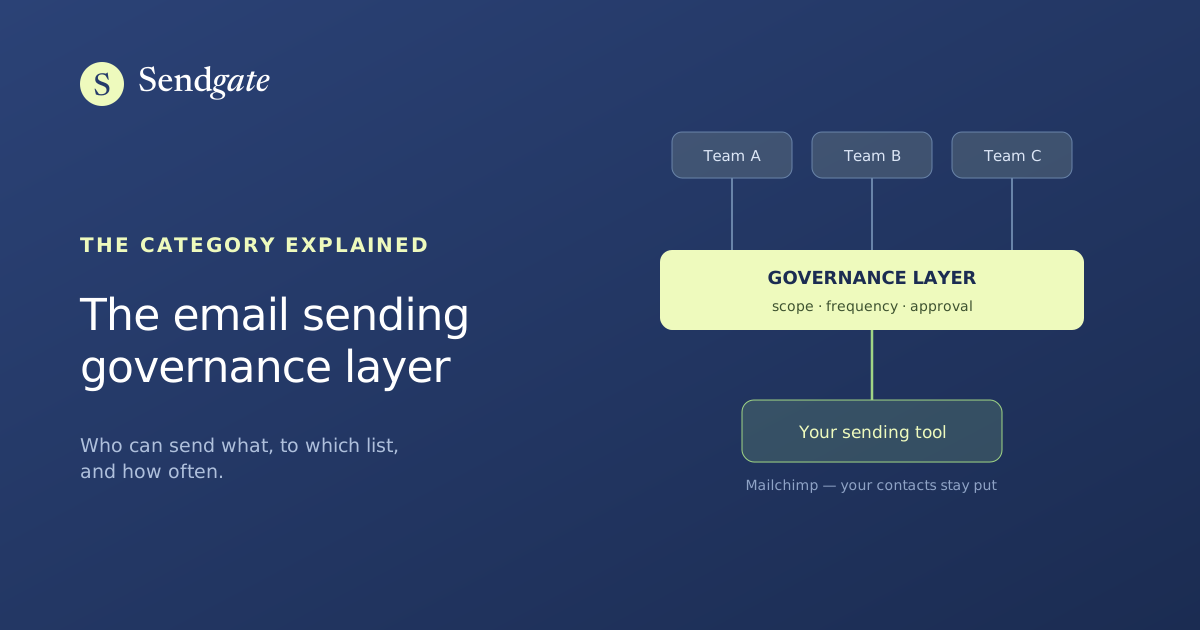
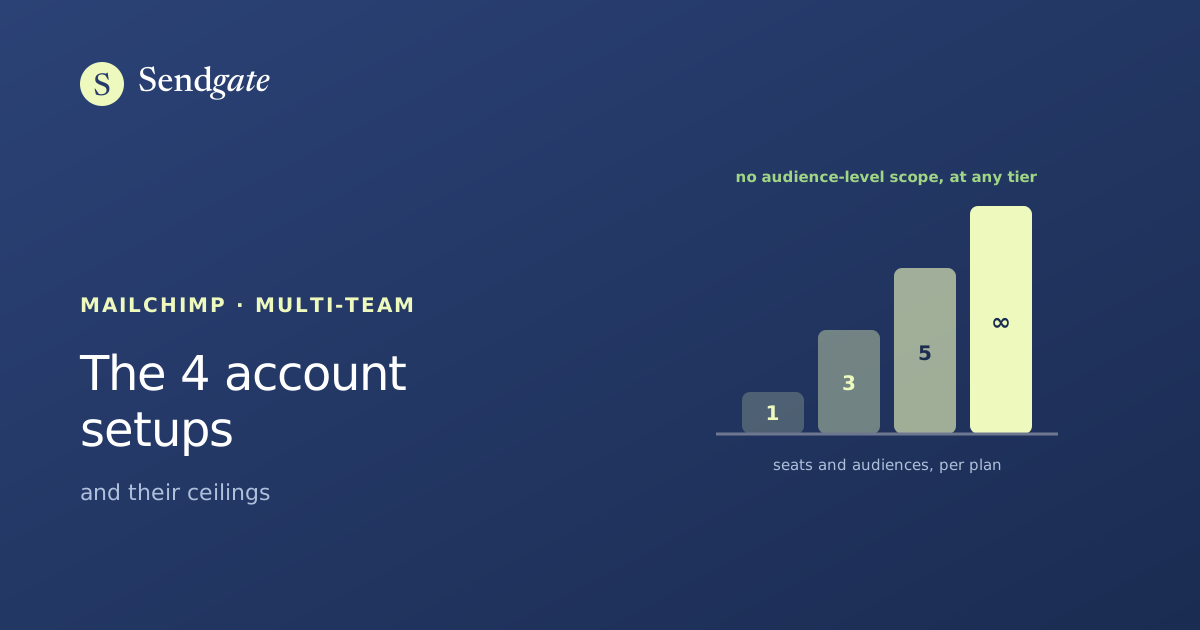
Sendgate adds the access control Mailchimp reserves for its Enterprise plan on top of your account: every team stays in its own lane, with its own audiences and senders. Mailchimp's sending power doesn't change.
You assign every audience and every sender address to a group. Whatever doesn't belong to a team shows up nowhere for it: not in its audiences, not in its senders, not in its sending history.
Audiences assigned by group
Verified sender addresses, impossible to spoof
Admin and Member roles, without giving access to your sending tool
Active customers2,340 contactsAssign a groupMarketing+5
Prospects Q3860 contactsAssign a groupSalesSBAL+5
Support tickets1,402 contactsAssign a groupSupportNF+4
Franchise network1,180 contactsAssign a groupSalesSBAL+5
An audience is only visible to its group4 / 4 assigned
02Approval
A second pair of eyes, wherever you decide it's needed.
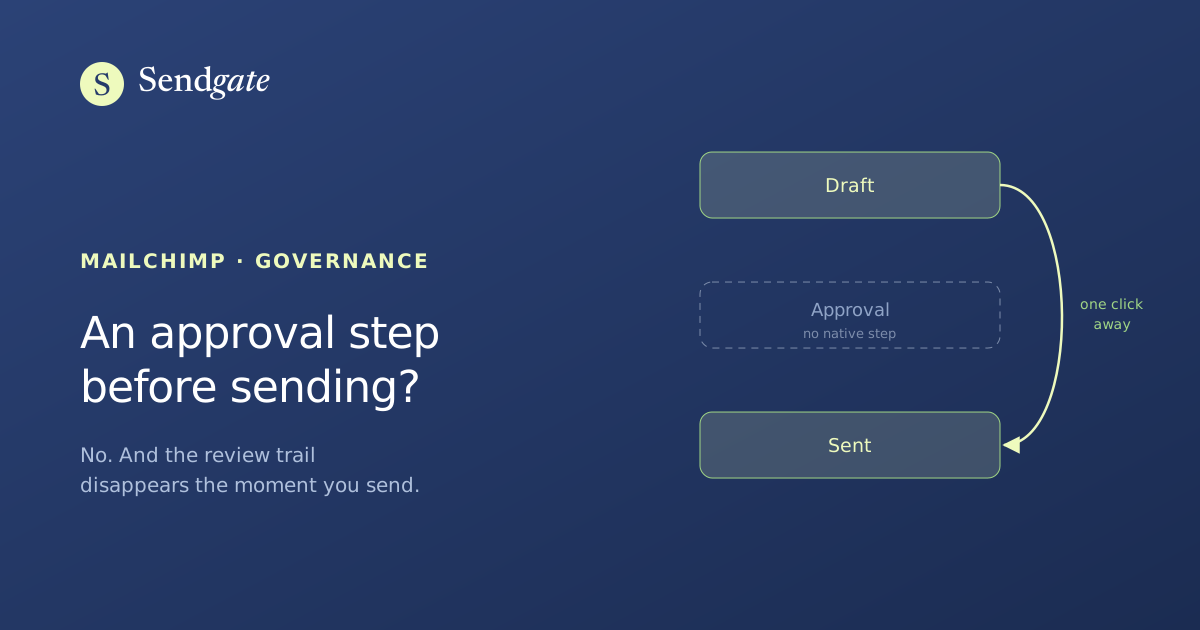
Turn on mandatory approval for a whole team, or for a single person. As long as an email isn't approved, it can't go out. Everywhere else, sends keep going out with no friction.
"Must be approved" is checked on a user, with their named approvers
The request goes to every approver; the first decision made applies
The exchange and the decision stay logged with the campaign
Oh good catch. Fixing the link, I'll send it back.
Approve sendReply
Approved by Clairesend unlocked
Requested›Discussion›Approved›Sent by Theo
As long as the campaign isn't approved, sending and scheduling stay locked — API included.
03Capping
Nobody gets the same email three times in a week.
You set a maximum number of emails per contact over a rolling 7, 15 or 30 days. Every send drops contacts who are already at their limit, no matter which team prepared it.
One rule for the whole account, set by admins only
Before sending, everyone sees how many addresses get dropped
An exception is requested campaign by campaign, and approved
June recapCapping appliedException requestedCap lifted
2,340recipients3 emails / 30 days
2,340 kept412 dropped by the cap
Request exceptionSend to the 1,928
CMException approved by Claire
04Composition
An editor your teams open without a sigh.
Blocks you drag, not HTML. A title, an image, some text, a button, and the campaign is ready. For urgent sends, plain-text mode takes thirty seconds to write.
Desktop and mobile preview while you write
HTML compatible with every client, compiled at send time
Sendgate never sends a single email itself. Click Send, and the campaign is created in the Mailchimp account you already have — Mailchimp is the one sending it.
1
Your team clicks Send, inside Sendgate
Claire picked her audience and wrote her email without ever opening Mailchimp.
General newsletter · 5,600 contactsSend
2
Sendgate drops the campaign into your Mailchimp account
Through your API key. Nothing is hosted elsewhere, nothing is copied: the campaign appears in your account exactly as if you'd built it by hand.
Your Mailchimp account
General newsletter
marketing@yourdomain.com · 5,600 recipients
Sent
3
Mailchimp delivers, as usual
Same sending address, same reputation, same stats. You migrate nothing, and you don't pay for the send twice.
Read-only API key
Sendgate reads your audiences. It never modifies them.
No contact copied
Your database never leaves Mailchimp.
Stats unchanged
Opens, clicks and unsubscribes stay in Mailchimp.
900
teams walled off
12 M
emails sent monthly via Sendgate
2 min
to connect your account
0
contact copied outside your tool
ISO 27001GDPR compliantRead-only connectionBuilt-in unsubscribe
Teams already using it
Fewer sends to fix after the fact.
"Three of us had the Mailchimp keys, and nobody knew who'd sent what. Now every team has its own lane, and I finally see the full history."
CClaireCommunications Lead · Maison Verel
"My regional managers send their own local campaigns now. They only see their own list, I approve before it goes out, and I'm no longer re-reading everything at the last minute."
TTheoNetwork Director · Orsay Mobilité
"What sold us is that nothing changed on the Mailchimp side. We connected the account on a Thursday, and the groups were set up by the next day."
SSofiaCIO · Groupe Baltis
Pricing
One plan. Everything included.
The walled-off access Mailchimp reserves for its Enterprise plan. Without the Enterprise price.
No. Sendgate sits on top of Mailchimp, which you already use: you paste your API key, and that's it. No migration, Mailchimp stays your sending channel.
Which sending tools are supported?
Mailchimp today, other ESPs next.
Are my contacts copied to your servers?
No. Your contacts stay in Mailchimp. We only store the strict minimum (audience names, group access, campaign metadata), never your database. Details on the Privacy page.
How many users can I invite?
As many as you want: unlimited users and groups, included in the plan.
How much does it cost?
$29/month, all-inclusive, no tiers or quotes. Free 7-day trial, no commitment.
How does the walled-off access work?
You create team groups and decide which audiences and senders each one can use. A member only sees their own scope, so it's impossible to send to the wrong audience or on behalf of another team.
Can I cancel anytime?
Yes, no commitment: cancel in one click, during the trial or after.